
Choosing the right survey platform can make a real difference in how well you understand your customers, employees, and users. The market is full of tools that promise better insights and higher response rates, which can make the decision feel overwhelming for researchers. SurveySparrow has gained considerable attention for its simple way to create conversational surveys and collect feedback across different channels.
In this review, we closely examine SurveySparrow. You will see what the platform does well, how its pricing compares, and whether it is a good fit for your needs.
The goal is to provide a clear, honest review so that you can decide if SurveySparrow is the right choice for your next feedback project.
What Is SurveySparrow?
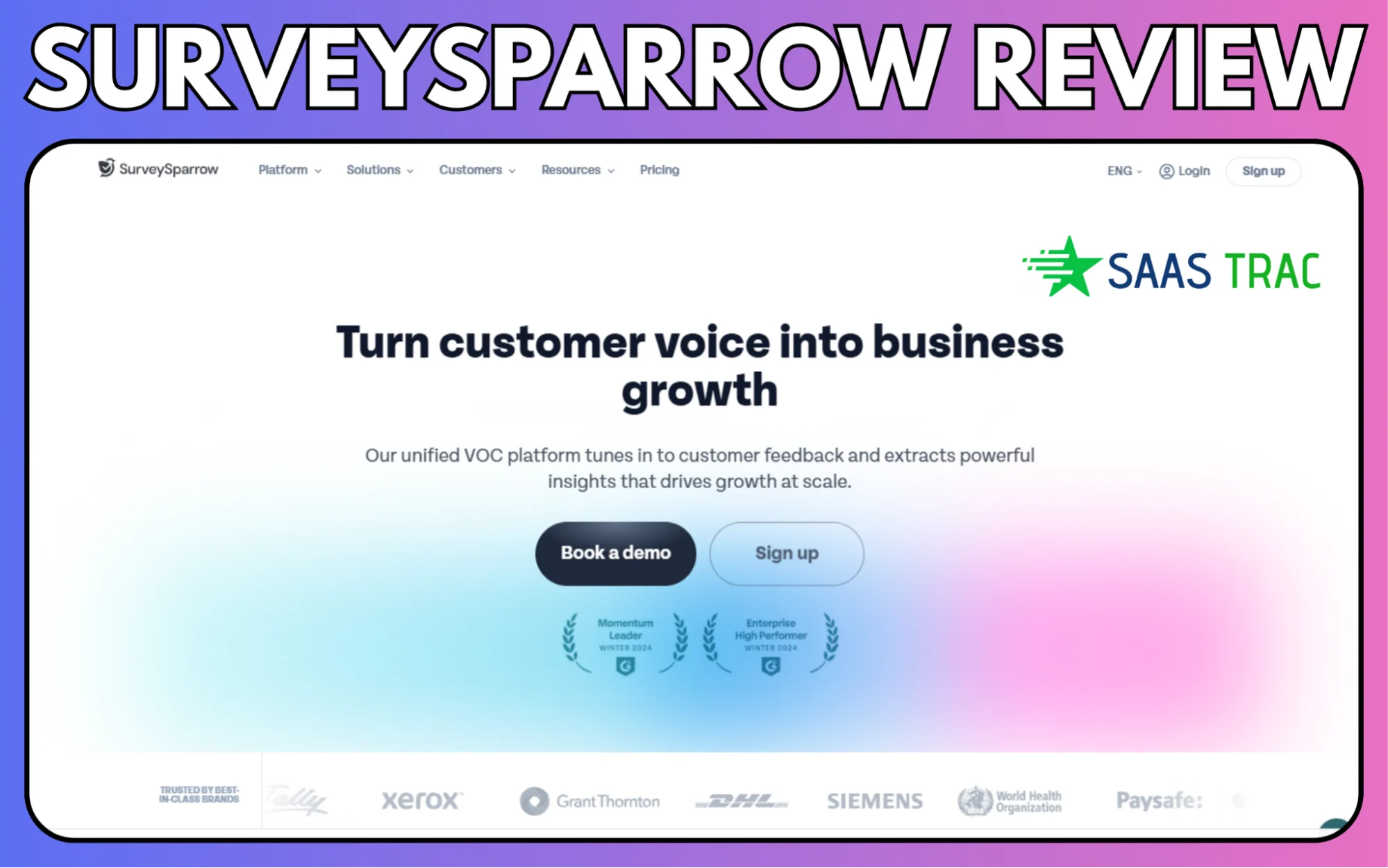
SurveySparrow is a survey and feedback platform designed to help businesses collect insights more engagingly. Rather than the typical static survey format, it focuses on conversational surveys that feel more comfortable. This style often leads to higher response rates, which is why many teams use it for customer feedback, employee engagement, and internal polls.
The platform supports a wide range of surveys, such as NPS, CSAT, 360 feedback, and offline surveys. It also includes tools for branding, logic-based question flow, reporting, and integration with popular business apps. The goal is to make it easy for anyone on a team to build and share surveys without requiring technical skills.
SurveySparrow is used by small businesses, marketing teams, HR departments, and even larger organizations as a modern way to gather feedback.
Key Features Of SurveySparrow
SurveySparrow offers a mix of features that help teams create surveys, collect responses, and convert feedback into useful insights. Here are the areas where it stands out:
Conversational Surveys
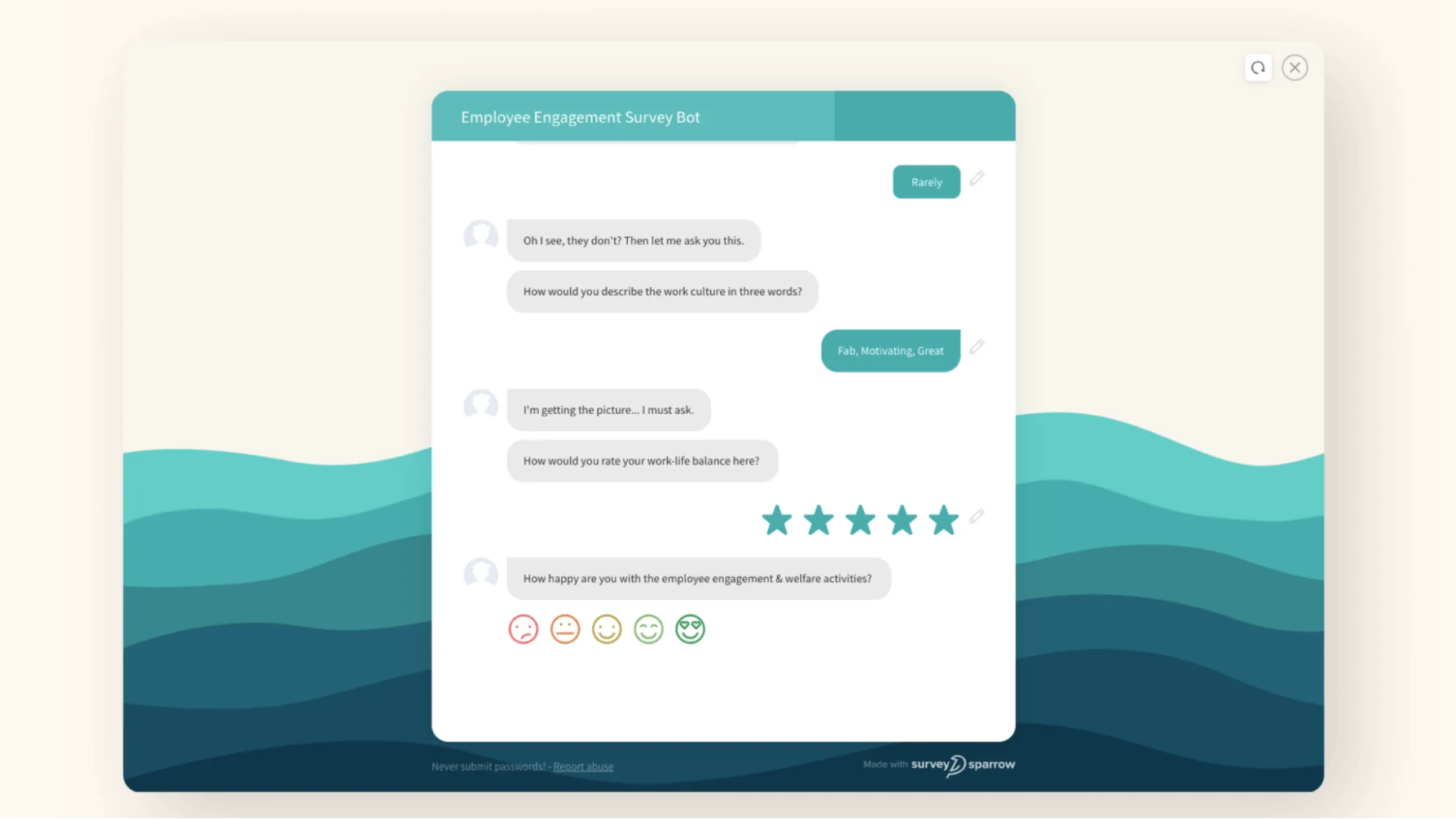
The platform is known for its chat-style surveys, which feel friendlier and more interactive than traditional forms. This format often encourages people to complete the survey because it feels quick and natural to them.
Multiple Survey Types
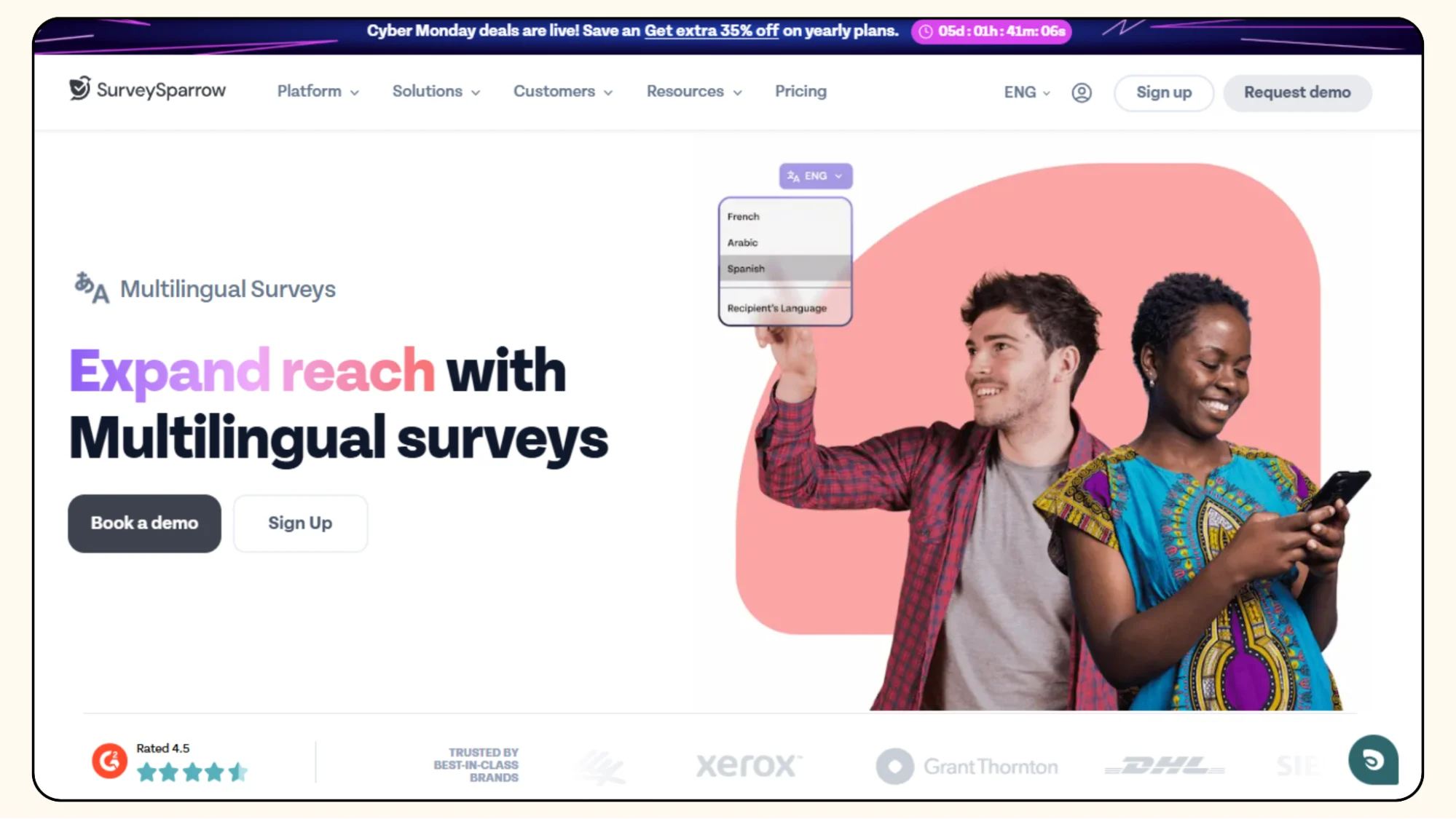
SurveySparrow supports a wide range of surveys. You can run NPS and CSAT surveys, 360-degree reviews, employee engagement surveys, customer experience surveys, and even offline surveys in situations where Internet access is limited. This makes it useful for different departments across an organization.
Customization and Branding
You can adjust the colors, fonts, backgrounds, and layouts to match your brand. The editor allows you to control the appearance and flow of each survey. It also supports custom logic, so you can show questions only when they are relevant.
Automation and Workflows
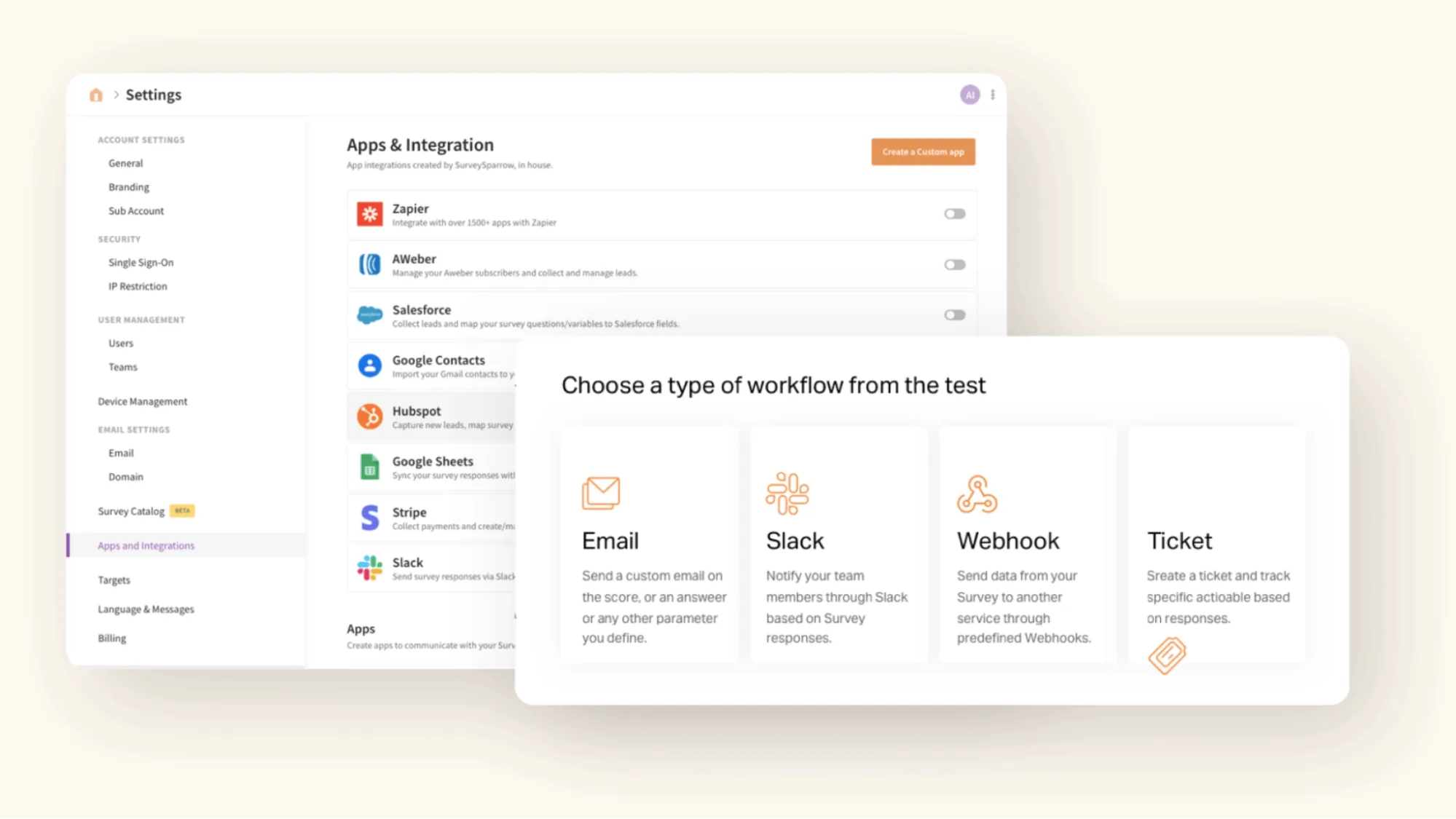
Teams can set up automated survey reminders, recurring surveys, and workflows that are triggered based on responses. This helps to keep feedback programs running with less manual work.
Reporting and Analytics
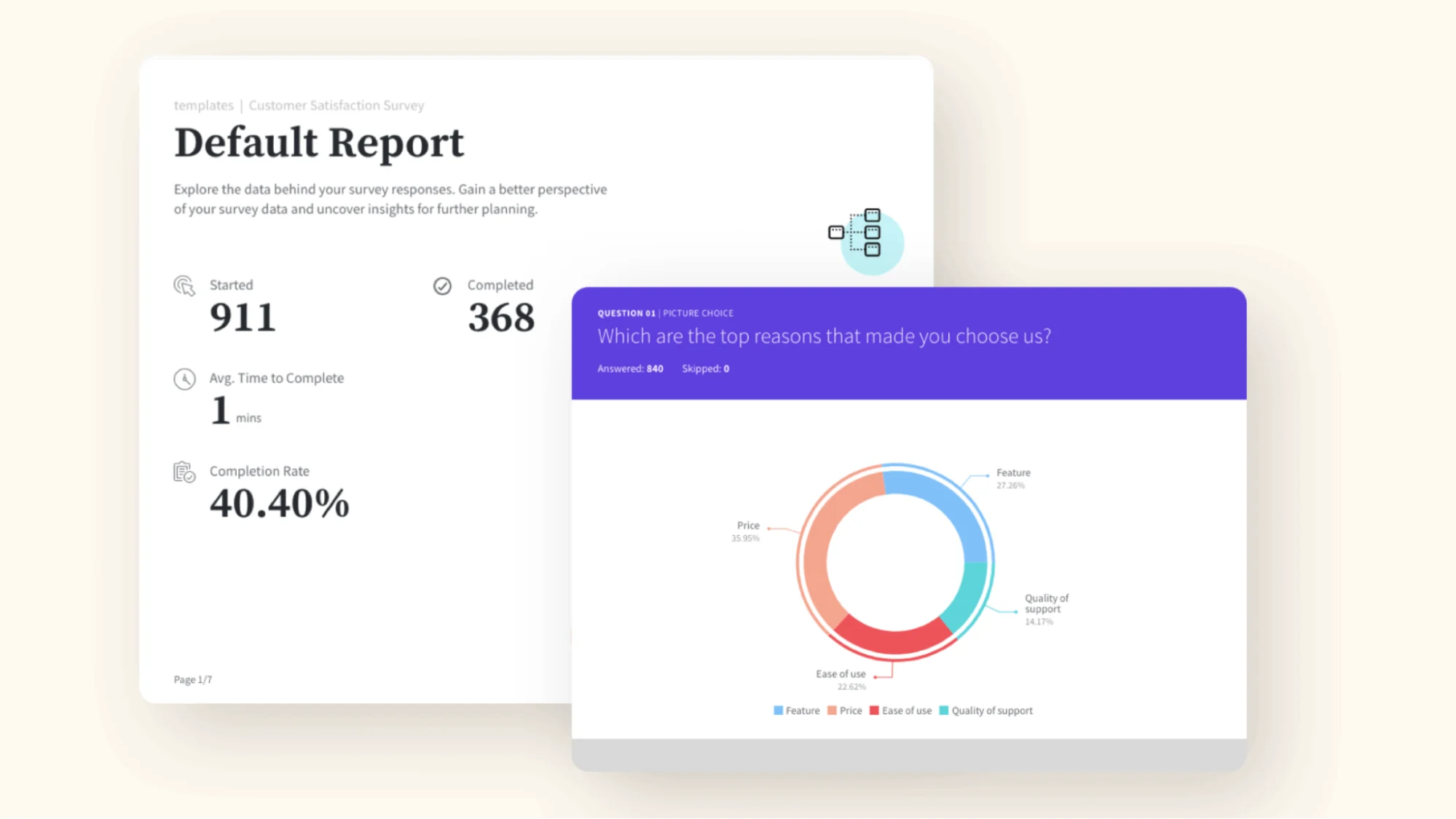
SurveySparrow provides dashboards, filters, and export options to help review the data. Reports are straightforward and provide a clear picture of patterns and sentiments. You can export the results to spreadsheets or share dashboards with your team.
Integrations
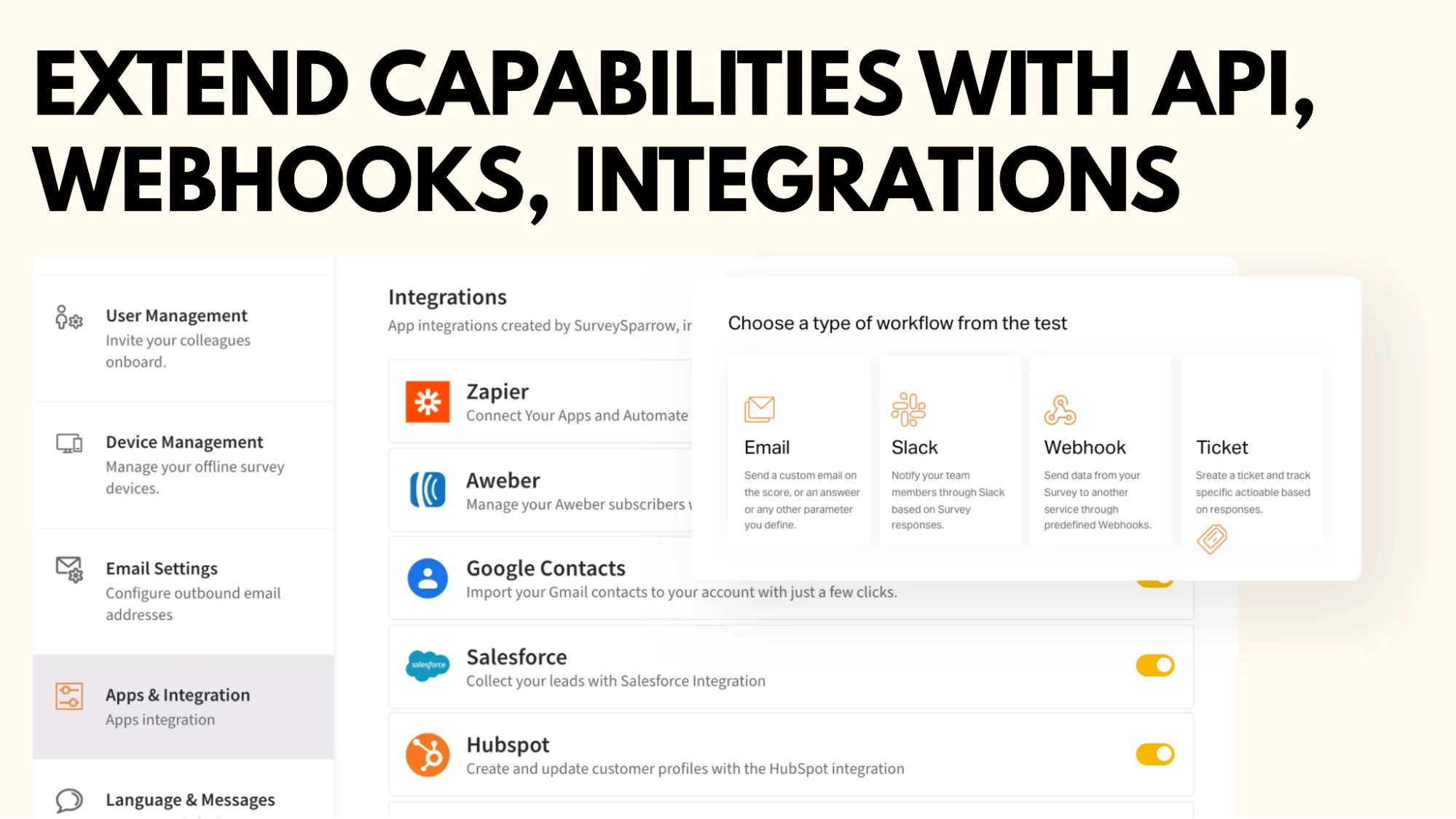
The platform is connected to tools such as Slack, Google Sheets, HubSpot, and Zapier. This makes it easier to send surveys automatically or move feedback into systems that are already in use.
These features make SurveySparrow appealing to teams that want strong usability with sufficient depth to run ongoing feedback programs without extra complexity.
You might also like this 👇
Emporia Research Review: Features, Pricing, Pros & Cons
How To Use AI Survey Platforms To Understand Your Audience Better?
What Users Are Saying: Pros and Cons
SurveySparrow has earned positive feedback across most major review platforms; however, like any tool, it has areas that users feel could be improved. Here is a balanced look at what people consistently mentioned in their reviews.
What Users Like
Easy to use
Most reviewers appreciated the simplicity of setting up the platform. The survey builder is clean, intuitive, and does not require technical skills, which makes it easy for teams to get started.
Engaging survey experience
The conversational survey format is one of the biggest highlights of this study. Users often mention higher completion rates because surveys feel quick and friendly rather than long and formal.
Good variety of survey types
Businesses like that they can run customer feedback surveys, employee assessments, 360 reviews, and offline surveys using one tool. This flexibility makes it useful for different teams.
Helpful reporting tools
People find the analytics to be clear and easy to understand. The ability to export results or share dashboards with teammates makes it simple to turn feedback into action.
What Users Think Could Be Better
Advanced customization limitations
Some reviewers noted that while the tool is great for most survey needs, extremely complex logic or large-scale research setups can feel restrictive.
Pricing clarity
Several users mentioned that pricing tiers and features could be more transparent, especially when comparing plans or considering upgrades.
Occasional performance issues
A few users reported slower load times or minor glitches when working on larger surveys or switching between features, although this did not seem to affect everyone.
Overall Sentiment
The general tone of the reviews was positive. SurveySparrow appeals to teams that value ease of use, a clean design, and a modern survey experience. Most complaints come from users who need more advanced, enterprise-level customization or are sensitive to the pricing structure.
SurveySparrow Pricing Explained (All Segments)
SurveySparrow offers different pricing models depending on your needs: Surveys, CX Suite, Brand & Social Reviews, Ticketing, 360 Assessments, and the Full Suite.
Each product has its own plan and feature set.
Below is a clear breakdown of each pricing segment.
1. Surveys Pricing
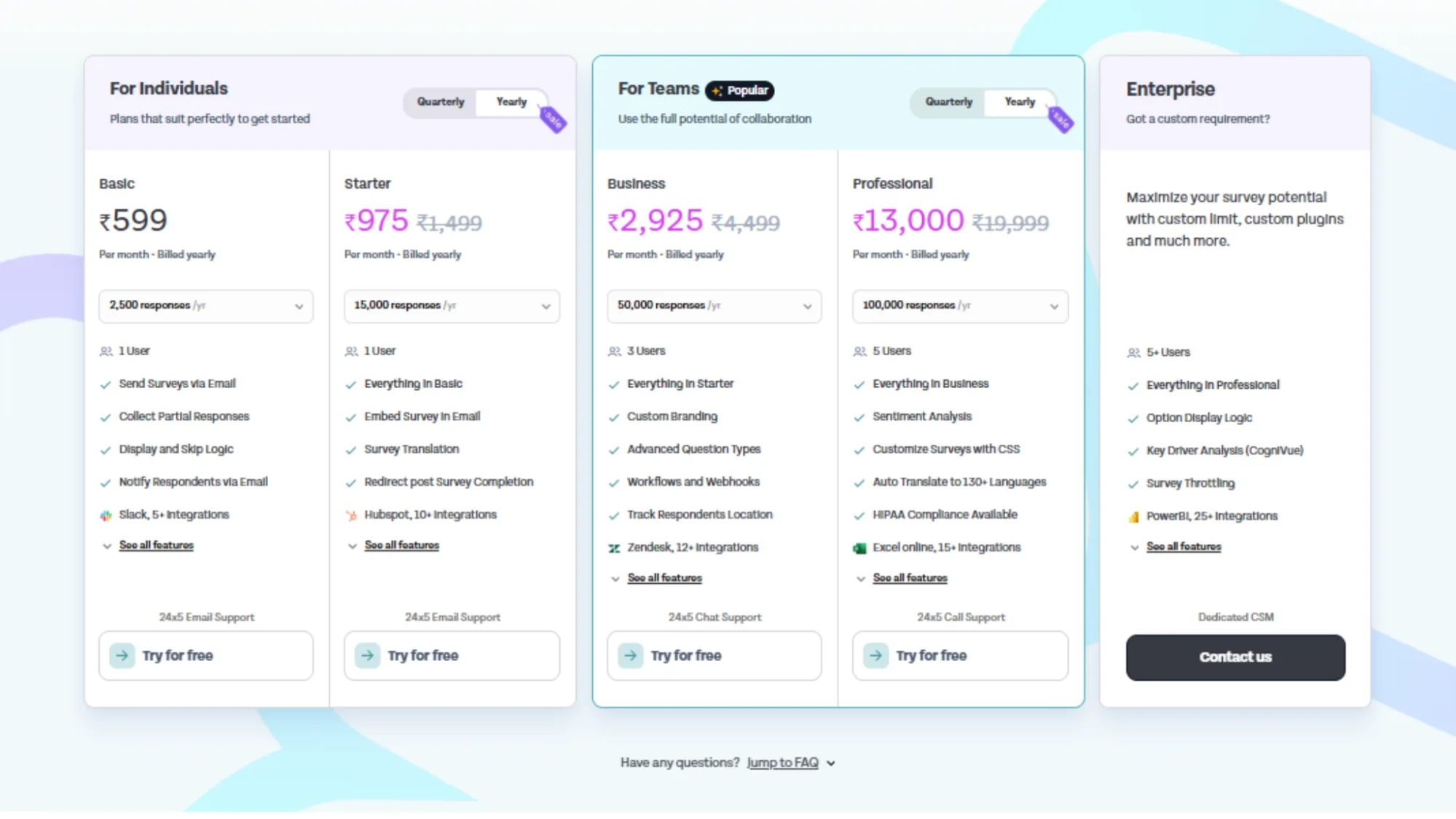
Ideal for running conversational surveys, offline surveys, NPS, CSAT, CES, etc.
For Individuals
Basic – ₹599/month (billed yearly)
- 2,000 responses/year
- 1 user
- Email surveys
- Partial responses
- Display & skip logic
- Notifications
- 5+ integrations
Best for: Simple surveys and individual creators.
Starter – ₹975/month (billed yearly)
Everything in Basic +
- 15,000 responses/year
- Embedded surveys
- Survey translation
- HubSpot, Slack integrations
- Better reporting
Best for: Small businesses or personal projects that require more volume.
For Teams (Most Popular)
Business – ₹2,925/month (billed yearly)
- 50,000 responses/year
- 3 users
- Custom branding
- Advanced question types
- Workflows & automations
- Track respondent location
- 20+ integrations (including Zendesk)
Best for: Growing teams that require collaboration and automation.
Professional – ₹13,000/month (billed yearly)
- 100,000 responses/year
- 5 users
- Everything in Business
- Sentiment analysis
- Custom CSAT/NPS surveys
- Auto-translate to 130+ languages
- HIPAA compliance options
- Advanced reporting
Best for high-volume survey teams and enterprise-grade workflows.
Enterprise – Custom Pricing
It is designed for large organizations.
Includes:
- Unlimited or custom limits
- Option display logic
- Cognitive/key driver analysis
- Private plugins
- 25+ integrations
- Dedicated CSM
Best for: Organizations requiring security, scale, and deep customization.
2. CX Suite (NPS, CSAT, CES)
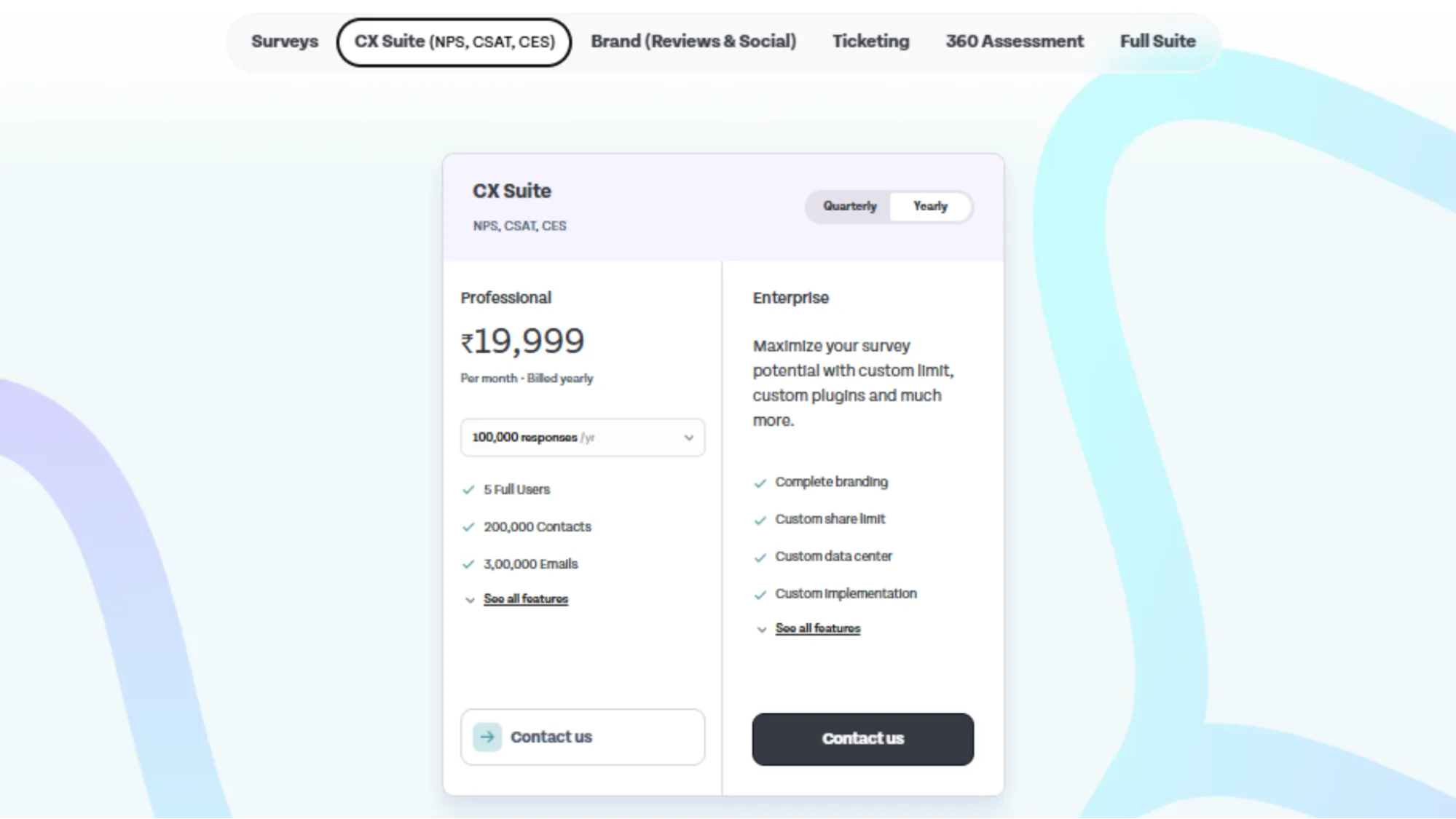
This is essential for complete customer experience management.
Professional – ₹19,999/month (billed yearly)
- 100,000 responses/year
- 50k contacts
- 100,000 emails
- Advanced CX analytics
Best for: Businesses implementing structured CX programs.
Enterprise – Custom Pricing
Includes:
- Custom limits
- Complete branding
- Custom data center
- Implementation support
Best for: Enterprise CX teams with strict compliance requirements.
3. Brand (Reviews & Social)
This section focuses on social listening and the management of reviews.
Not priced publicly — Contact us.
Includes features like:
- Monitor everywhere (reviews + social mentions)
- Actionable insights
- Competitor benchmarking
- Alerts
- AI-based reply automation
- Review request campaigns
Best for: Brands seeking reputation management and sentiment insights.
4. Ticketing (Customer Support Ticket System)
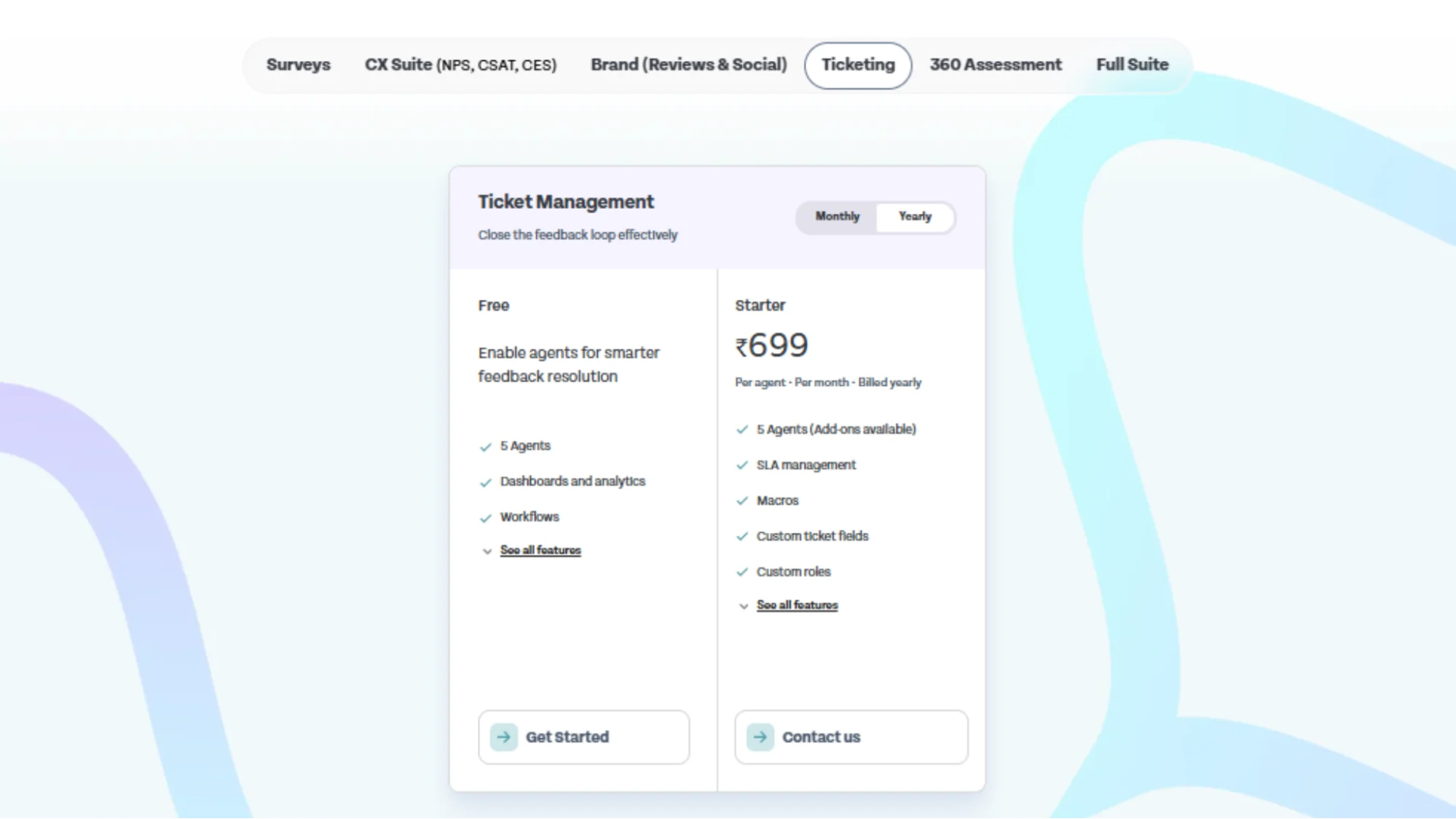
For closing feedback loops and managing support tickets,
Free Plan
- 5 agents
- Dashboards & analytics
- Workflows
It is a great entry-level option.
Starter – ₹699 per agent/month (billed yearly)
- 5 agents (add-ons available)
- SLA management
- Macros
- Custom ticket fields
- Customizations
Best for: Support teams requiring tracking + automation.
5. 360 Assessment
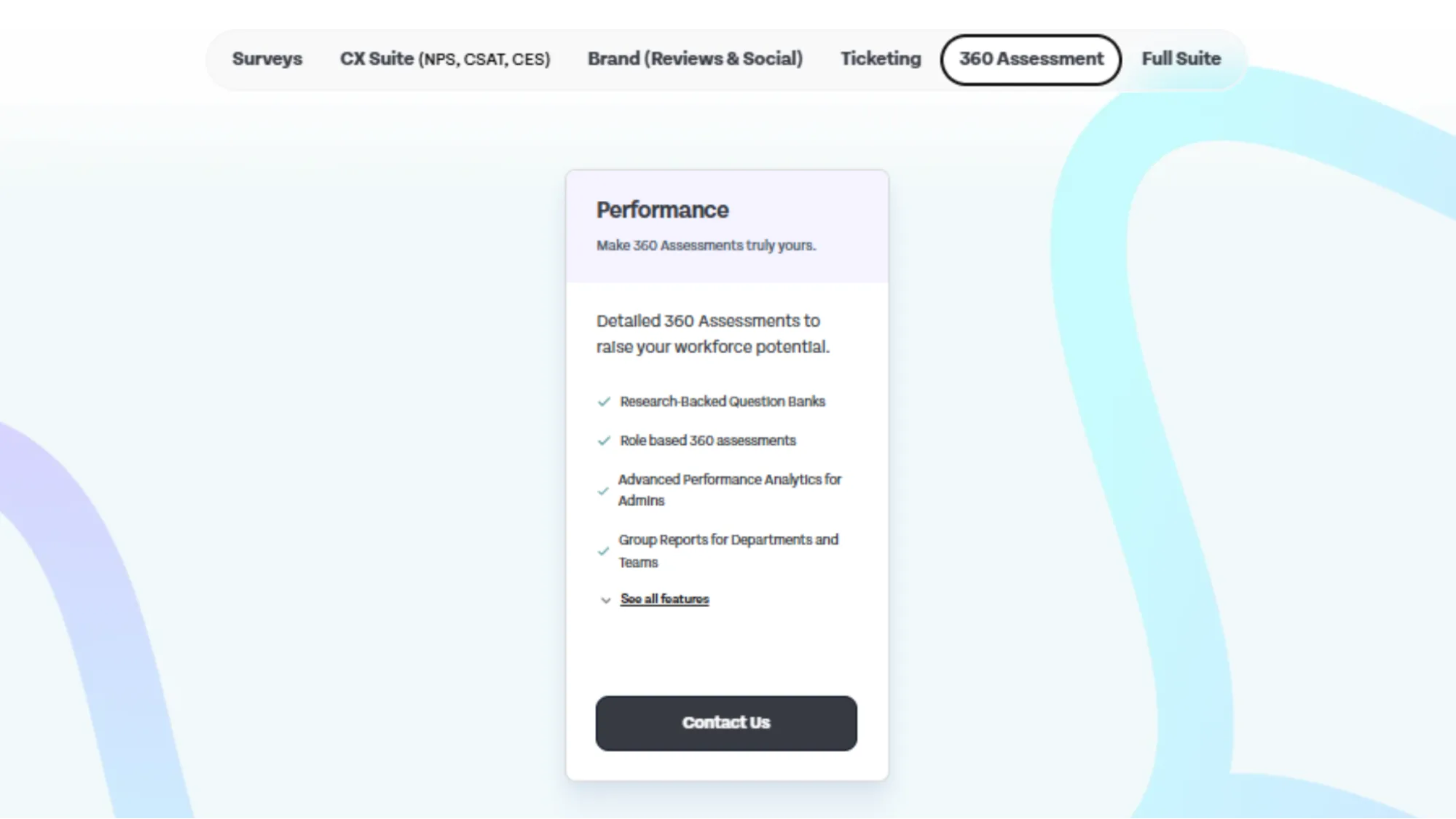
To enhance overall employee development, performance reviews, and HR team effectiveness, you can opt for their 360 Assessment option. For that, you can contact them directly to express your needs, and accordingly, you will be assigned a customized plan.
Includes:
- Research-backed question banks
- Role-based assessments
- Analytics for admins
- Department/group reports
Best for: HR teams wanting deep 360° evaluations.
6. Full Suite
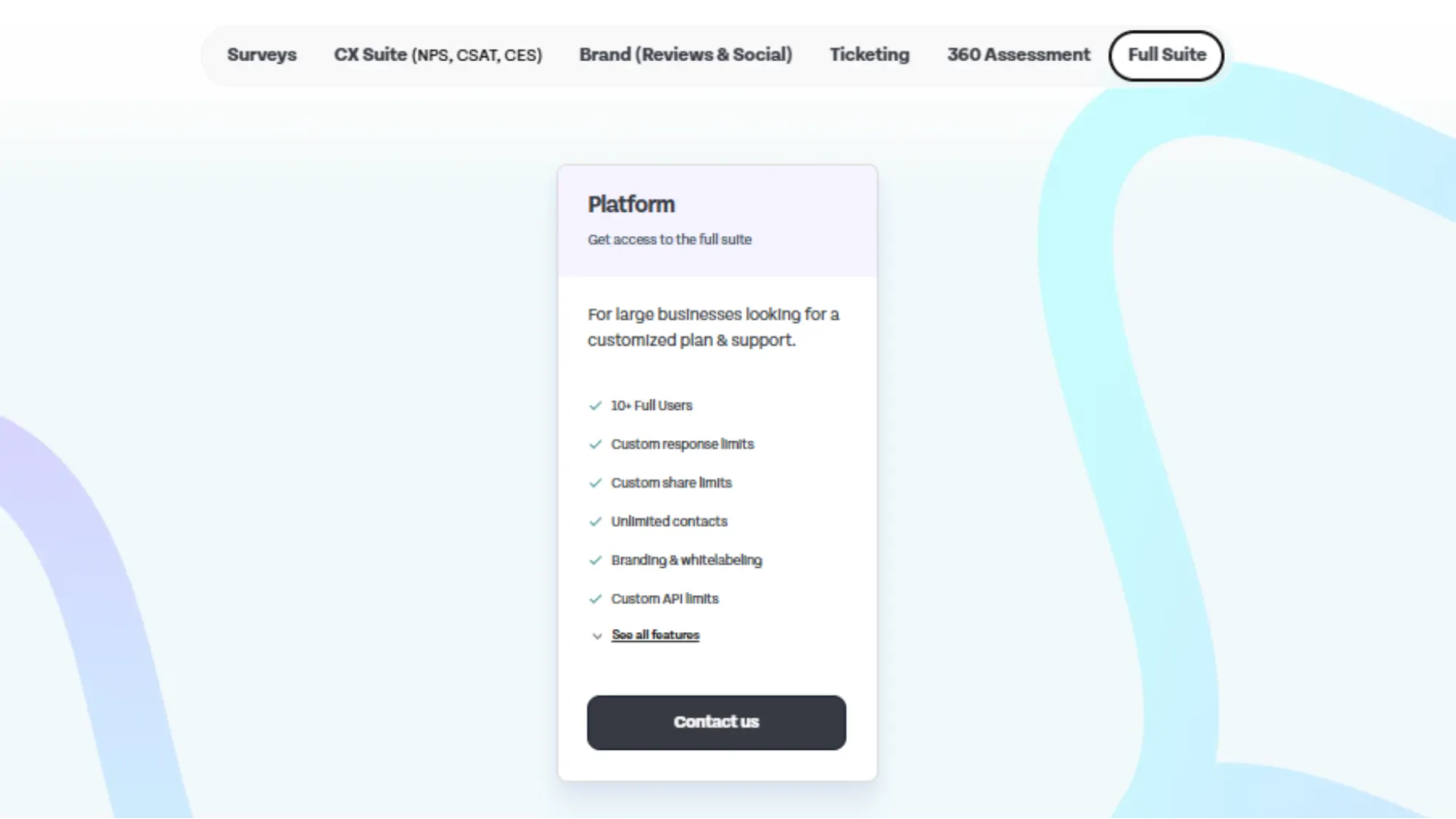
For businesses that want everything on one platform, you can opt for a full suite plan. For that, you can connect with their team and discuss the custom requirements.
Includes:
- All product lines
- 10+ full users
- Unlimited contacts
- Custom API limits
- Branding + white labeling
- Custom compose limits
Best for: Large organizations that require a unified feedback ecosystem.
Who Should Use SurveySparrow
SurveySparrow is suitable for teams that want an easy way to collect feedback without dealing with complicated software. Its strength lies in its simplicity, conversational survey style, and flexibility to handle both customer and employee feedback.
Ideal For
Small and medium businesses
These teams often need a tool that is quick to set up, easy to learn, and capable of conducting different types of surveys. SurveySparrow fits well because it does not require technical skills and offers enough features to support everyday feedback needs.
Customer experience and marketing teams
The conversational format helps increase response rates, making it useful for NPS, CSAT, onboarding surveys, and quick customer check-ins.
HR teams
Features like 360-degree feedback, employee engagement surveys, and pulse surveys make it a practical option for HR departments that want to measure culture and performance more consistently.
Product teams and researchers
While it may not replace high-end research tools, it is sufficiently strong for user feedback, feature validation, and general product surveys.
Might Not Be the Best Fit For
Organizations needing advanced or highly complex survey logic
If your workflow requires deep customization or detailed branching paths, SurveySparrow may feel limiting.
Teams with strict data compliance or self-hosting requirements
Because the platform does not offer self-hosting, regulated industries may require a more specialized solution.
Final Verdict: Is SurveySparrow Worth It
SurveySparrow is a strong choice for teams that want a simple and modern way to collect feedback. Its conversational survey style makes it easier to engage people, and its range of survey types works well for both customer and employee feedback. The platform is easy to learn, flexible enough for most day-to-day needs, and supported by clean reporting tools that help turn responses into useful insights.
It is not a perfect fit for everyone. If you require advanced logic, deep customization, or enterprise-level research features, you may encounter some limitations. While the pricing is competitive, some teams feel that the differences between the plans could be clearer.
Overall, SurveySparrow is a great option for small and medium businesses, CX teams, HR departments, and anyone who wants a friendly survey experience without extra complexity. It offers strong value, solid features, and a smooth user experience that stands out among contemporary survey platforms.
If you are looking for a tool that is easy to use and delivers engaging surveys, SurveySparrow is worth considering.
Frequently Asked Questions
Does SurveySparrow support multilingual surveys?
Yes. You can create surveys in multiple languages and let respondents choose their preferred language before they start the survey. This is helpful for global teams and businesses with diverse customer bases.
Can I embed SurveySparrow surveys on my website?
You can. SurveySparrow offers embedding options such as pop-ups, inline embeds, chat-style widgets, and shareable links. This allows surveys to be placed directly on landing pages, help centers, or product dashboards.
Does SurveySparrow allow anonymous responses?
Yes. You can set a survey to collect anonymous responses if you want more honest feedback, especially in employee-related surveys.
Can I schedule surveys to be sent out automatically?
SurveySparrow includes recurring survey options, such as: You can schedule a survey to repeat weekly, monthly, or at any interval of your choice. This is useful for pulse checks and for ongoing feedback programs.